Server Logo API
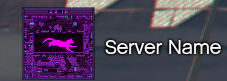
The Server Logo component handles the display of your community’s branding. It supports a dual-layer display: a Texture (Logo) and a Text Label (Server Name), which can be positioned relative to each other.
⚙️ Internal Architecture
Automatic Asset Streaming
To prevent “white box” glitches often seen in FiveM UI scripts, this component includes a built-in streaming waiter. When you call ShowComponent or UpdateLogo, the internal thread pauses execution until the requested Texture Dictionary (txd) is fully loaded into memory. Only then does it instruct the Scaleform to render the image. This ensures the logo appears instantly and crisply.
Accessing the API
local Logo = exports['eir_hud']:GetEirAPI().ServerLogo
-- or
local Logo = exports['eir_hud']:GetServerLogoAPI()
Logo Management
Methods to control the image part of the branding.
UpdateLogo(txd, txn, width, height)
Updates the source image and its dimensions. Note: You can pass nil for any parameter to keep the current value.
txd:string- Texture Dictionary Name.txn:string- Texture Name.width,height:integer- Pixel dimensions.
-- Switch to a holiday themed logo
Logo.UpdateLogo("aesir_eir", "logo_xmas", 64, 64)
AnimateLogo(enabled, type, duration, amplitude, looped, delay)
Controls the built-in Scaleform animations for the logo (e.g., pulsing, fading).
Parameters:
enabled:boolean- Turn animation on/off.type:integer- Animation ID (e.g., 6 for Fade).duration:number- Length of one cycle (seconds).amplitude:number- Strength of the effect.looped:boolean- If true, repeats indefinitely.delay:number- Pause between loops (seconds).
-- Make the logo pulse gently
Logo.AnimateLogo(true, 1, 2.0, 5.0, true, 0)
Label Management
Methods to control the text displayed next to the logo.
UpdateLabel(label, font, size, outline, vertPos, horizPos)
Updates the text and its layout relative to the logo image.
Parameters:
label:string- The text content.font:string- Font name (e.g., “$Font2”).size:integer- Font size.outline:boolean- Draw text outline.vertPos:integer- Vertical alignment relative to logo (0=Top, 1=Center, 2=Bottom).horizPos:integer- Horizontal alignment relative to logo (0=Left, 1=Right).
-- Move text to the bottom of the logo
Logo.UpdateLabel("My Server v2.0", nil, 14, true, 2, 1)
Visibility & Positioning
ShowComponent() / HideComponent() / ToggleComponent()
Standard visibility controls.
SetComponentPosition(x, y) / SetComponentSize(w, h)
Standard positioning controls.
SetComponentColour(col)
Updates the tint color (mostly affects the Label text color).
Data Retrieval
GetComponentInfo()
Returns the base component info.
- Returns:
BaseComponentInfo
GetBoundsFromAnchor()
Calculates the exact screen boundaries of the panel.
- Returns:
BaseComponentData
GetValuesRuntime()
Returns the current configuration (current txd, label text, animation state, etc.).
- Returns:
table